
Exploit The World: Our Dynamic Physics Simulation
As we developed the Custom Hobo game engine, we drew inspiration from one of our favorite web games: Happy Wheels. Happy Wheels is a maniacal game that involves driving your character from point A to point B, typically with extreme bodily harm happening along the way.
Limbs tear off, blood splatters everywhere, and your body generally gets decomposed into meaty bits. Player enjoyment is derived from a satisfying physics simulation, and having appropriate feedback when fragile objects suffer extreme impacts. We wanted to make sure our game engine had similar levels of mayhem and destruction, which is why we developed our Piece System.
This post goes in-depth on what a Piece is, and how it works in the game engine.
What Is A Piece?
Our game engine uses the 2D physics engine Box2D (https://box2d.org/). In Box2D, physics is simulated using Bodies and Joints - basically, rigid physics objects and the constraints that join them. A b2Body has a position, rotation, and mass, which is based on its fixtures (more on that later). Every game update, we tell Box2D to run the physics simulation for a certain amount of time, and it will update all of the bodies in the world based on forces, momentum, joints, etc.
CHPhysPiece is our own interface meant to encapsulate this implementation. It creates and owns the Box2D body and registers itself to receive physics callbacks. From that point on, Box2D owns the simulation, and we own everything else related to visual representation and game logic.
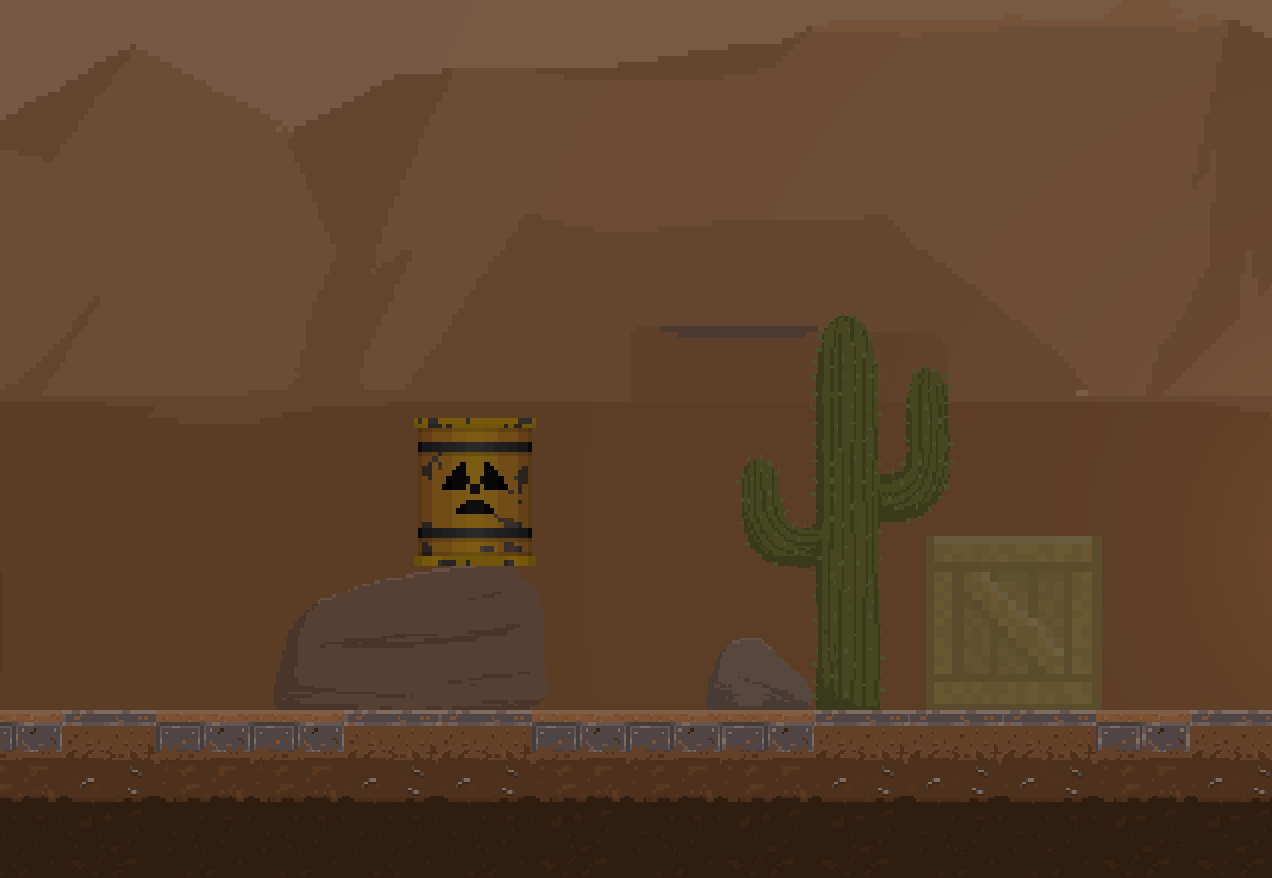
Config-Driven Composition
Each piece is defined by a CHPhysPieceConfig. This struct captures everything needed to instantiate a piece:
- What properties and fixtures the Box2D body should have
- What sprite the Piece should draw
- The physics material (flesh, metal, wood, etc. These determine collision audio, particles, and damage multipliers)
- Damage and impulse thresholds, and what happens when they are reached
This architecture is key, because it lets us statically define practically every object in our game like so:
piece.material       = FLESH;
piece.damageLife     = 40;          // depleted by other game entities and extreme collisions
piece.smashConfig    = {
    impulseThreshold = 20;          // newtons — hard collision triggers a smash
    bitsToCreate     = {BONE, BLOODY_CHUNK, SPINE};
}
Using this system, we can easily create new objects that feel materially appropriate, and dynamically decompose into smaller and smaller Pieces using our Smashing system!
The Smashing System
The most visually important mechanic in Custom Hobo is also one of the trickiest to implement correctly: things need to feel like they genuinely come apart.
One challenge is that the physics update is not interruptible. When two bodies collide, Box2D computes the response and notifies listeners through callbacks. The postSolve callback gives us the impulse data: how hard did two objects hit, at what point, in what direction. This is exactly the information we need to decide whether something should smash. The problem is that postSolve runs inside the physics step, and you are forbidden from creating or destroying bodies while the step is in progress. Any attempt to do so either crashes or produces undefined behavior.
To work around this limitation, the smashing pipeline is two-phase. Phase one runs during the physics step and only records data:
// postSolve callback (inside Physics World step — read only!):
impact = calculateImpact(contact, impulse, thisFixture)
thisFixture.recordImpact(impact)
Phase two runs during our own game logic update, after Box2D has finished:
// Our update loop (safe to create/destroy anything):
impact = piece.getLargestImpactThisStep()

if (impact.magnitude > piece.smashConfig.impulseThreshold)
    spawnBits(piece.smashConfig.bitsToCreate, impactOrigin);
    piece.destroyB2Body();
markForSmashing() is the safe valve between the two phases. It sets a PENDING_SMASHING flag and can be called from anywhere—callbacks included. The actual destruction happens the next frame when we see that flag. This means smashing is always one frame behind the collision that caused it, which is fine. Physics is already running at speeds too fast for players to perceive the difference.
Fixtures: Collision Shapes That Match The Sprite
In Box2D, a b2Body alone has no shape. To actually participate in collisions, a body needs at least one b2Fixture attached to it—a shape that defines the collision geometry. Box2D supports circles, edge chains, and convex polygons. We use convex polygons almost everywhere, because they let us trace the exact outline of whatever we’re simulating.
For each piece, we trace the collision outline directly against the source sprite. The vertices we author are the exact polygon that maps onto that sprite’s silhouette, which means collision geometry and visual representation are always in sync. No invisible bounding box that’s slightly wrong.
This also lets us do cool stuff like break one sprite into component parts by defining multiple fixtures. Take this crate for example:
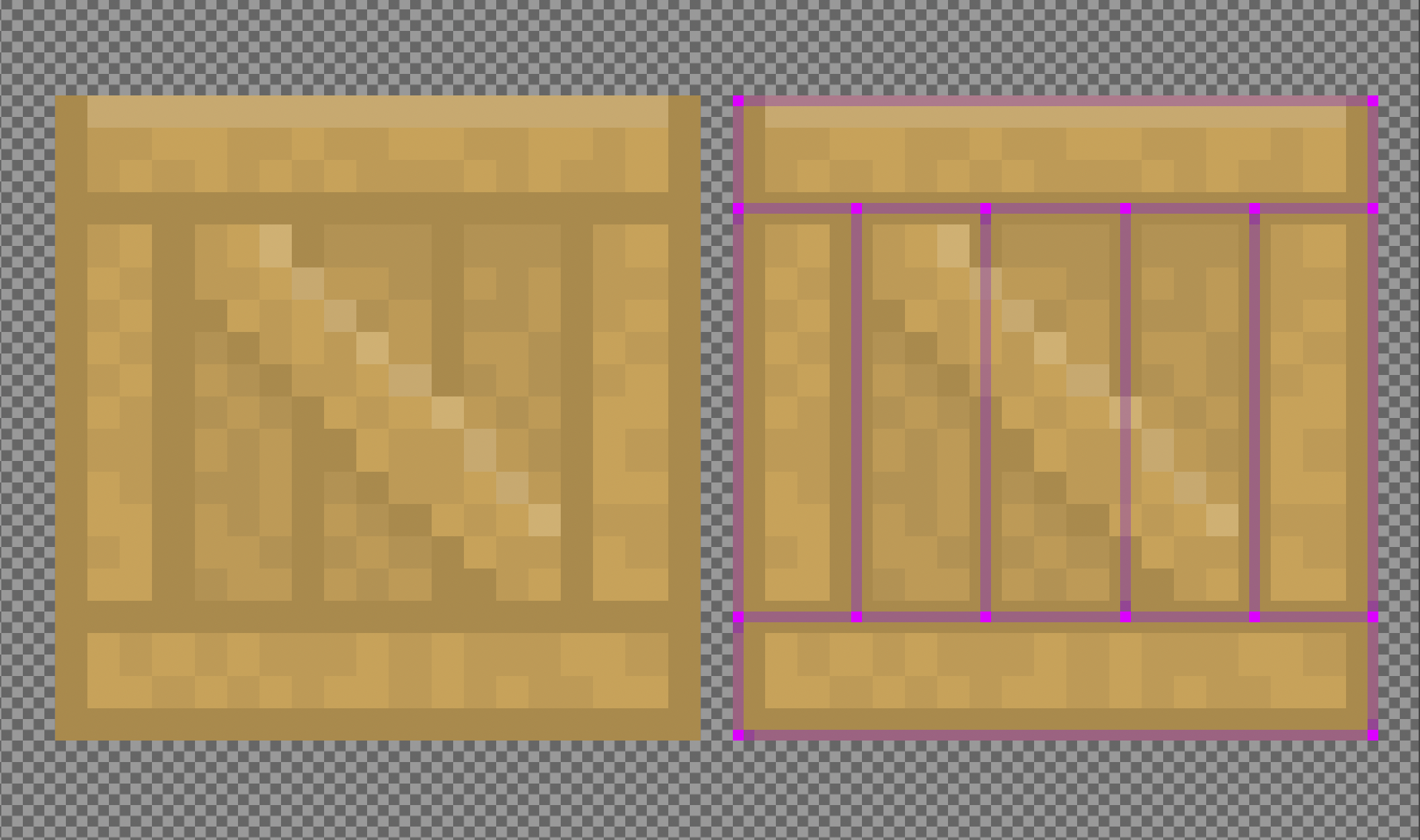
It’s one sprite, but we define a bunch of fixtures based on its visual planks. Using some clever sub-rendering of our textures, we can map portions of the sprite onto each fixture, and then use physics feedback to move fixtures into new bodies, giving us really dynamic and fun destructible behavior.
Materials
Previously, we showed a configuration for a piece that included a “Material”. This is a game-engine-specific implementation that lets us make our collisions feel, sound, and look appropriate!
enum class CHMaterial
{
    CONCRETE = 1,
    WOOD = 2,
    METAL = 4,
    FLESH = 8,
    RUBBER = 16,
    ...
};
You may notice that these values are kept in powers of 2. This allows us to use bitwise math to quickly figure out information about collisions.
CHMaterial materialA = objectA->getMaterial(contact->GetFixtureA());
CHMaterial materialB = objectB->getMaterial(contact->GetFixtureB());

int bitwiseOr = materialA | materialB;

if (bitwiseOr == (CHMaterial::METAL | CHMaterial::METAL))
{
    spawnParticles(CHPhysicsParticleType::SPARK);
    playSounds(CHSoundEffect::CLANG);
}
if (bitwiseOr == (CHMaterial::METAL | CHMaterial::FLESH))
{
    spawnParticles(CHPhysicsParticleType::BLOOD);
    playSounds(CHSoundEffect::SQUISH);
}
// And so on...
When two pieces collide, we can decide what particles to generate, and sounds to play, based on their materials. The result really juices up the dynamic collisions throughout gameplay!
CHPhysJoint: Motorized Joints
Box2D’s other main physics abstraction is joints: constraints on the relative motion between two bodies. A weld joint keeps them rigidly locked. A revolute joint pins them at a point and lets them rotate around it—a shoulder or elbow. A distance joint keeps two bodies within a maximum separation. We use all three, plus a prismatic joint for things that slide along an axis.
CHPhysJoint is our own wrapper around this abstraction, and is used primarily to give us control over those joints and to add a breakability layer to them. The key config fields:
joint.forceThresholdNewtons  = 200
joint.torqueThresholdNewtons = 50
When your arm is under heavy strain, Box2D tells the game engine about it. If the amount of torque exceeds our thresholds, well… let’s just say it’s not your arm any more.
Every update, the joint checks its own reaction force and torques against these thresholds. If either exceeds the limit, the joint is marked for breaking. Marked joints destroy themselves on the next update rather than during Box2D’s own step—you can’t destroy joints inside a physics callback either, for the same reasons you can’t destroy bodies.
Two optional behaviors trigger when a joint actually breaks. If spurt is set, particle effects fire at the joint’s last known anchor points—blood for flesh joints, sparks for metal. If makeTendon is set, the broken joint is replaced with a new distance joint configured to behave like a stretched tendon:
// After the elbow joint breaks:
createdistanceJoint(bodyA, bodyB) {
    maxLength   = 1.5 meters;
    elasticity  = 20 newtons;
    visual      = tendon;
    decay       = fast;    // this tendon won't last long
}
The severed limb doesn’t snap away immediately. It swings on a tendon for a fraction of a second, then that too fails. It’s a minor thing, but it adds a beat of viscerality between the joint breaking and the limb going fully free. Players notice it, and it adds to the meatiness and enjoyment of the whole experience.
Another interesting feature of joints is they have motors, which let us exert realistic forces to twist and push the pieces they join. In fact, all of our character animations are generated by controlling each joint’s motors very carefully based on player input - more on that in a future blog post, perhaps :)
Piecing It All Together
The Piece System is the foundation everything else in Custom Hobo is built on. Here’s the short version of how it all fits:
- Pieces wrap Box2D bodies and own their own visual representation and game logic. Box2D drives the physics; we drive everything else.
- Config-driven composition means every object in the game — crates, limbs, projectiles — is just a struct. Tweaking how something feels is a matter of changing a few numbers.
- Smashing is a two-phase pipeline: record impacts during the physics step, act on them after. This keeps us inside Box2D’s rules while still letting objects explode into smaller pieces at runtime.
- Fixtures trace the visual outline of each sprite, keeping collision geometry and rendering in sync. Multi-fixture bodies let us split a single sprite into independently-simulated parts.
- Materials encode what objects are made of and drive the audio and particle response when they collide — so flesh sounds like flesh and metal sounds like metal.
- Joints constrain how pieces move relative to each other, and break believably when pushed past their thresholds. The tendon behavior between a break and a fully-free limb is a small detail that lands hard.
The whole system is designed so that physics feedback naturally surfaces the game feel we want — destruction that reads as weighty, reactive, and a little bit disgusting. That’s the goal, anyway. We think it’s working.